
Why Is There Corrosion on My Car Battery?
Car batteries are built to last, and generally are able to provide your vehicle with the charge it needs to start up for tens of thousands of miles. It can be easy to overlook the condition of your battery, as many drivers simply wait for signs of a dead battery before considering maintenance.
However, while batteries are often able to last for years, there are a few potential issues that owners should keep an eye out for between replacements. One of the most common issues that can develop on older batteries is corrosion buildup, which appears as a crusty blueish white residue that accumulates on the terminals.
What Is Battery Corrosion?
The buildup you see on your battery’s posts comes from the acid within the battery itself. When automotive battery acid is exposed to air, the hydrogen produced by the acid will react with the surrounding air and moisture, creating the residue that appears around the terminals.
What Effects Can a Corroded Battery Have?
While light battery corrosion generally does not pose that big of a risk to your vehicle, a severe amount of corrosion buildup can prevent a proper connection between the battery terminals and cables, disrupting the flow of electricity and potentially causing issues when attempting to start the vehicle.
Battery corrosion can also cause some less noticeable issues, such as dim headlights, malfunctioning infotainment, or other problems in the electricity-dependent systems of your vehicle.
How Does Battery Corrosion Occur?
While we’ve discussed how the source of battery terminal corrosion is leaking battery acid, how do these leaks actually develop? Here are some of the most common reasons that your battery may be accumulating corrosion:
Damaged Battery Casing
While it may be obvious, it’s important to know that a battery casing that has experienced wear or impact damage may allow acid to escape the battery. If you notice a visible crack or opening in the casing of your battery, this is likely where the acid is leaking from.
Overcharging/Undercharging
Automotive batteries rely on the charging system of the vehicle to remain charged at all times. The alternator converts mechanical energy from the rotation of your engine’s crankshaft into power to be used in the vehicle’s battery,
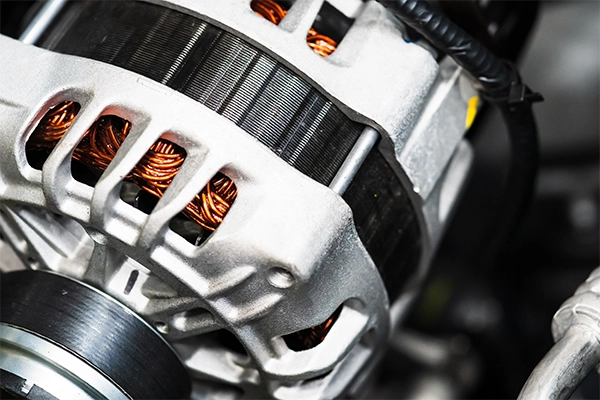
When the charging system experiences malfunctions, it could result in the battery receiving either an excess or a lack of power. Both of these issues can lead to corrosion buildup around the battery terminals.
You can generally tell which of these issues you’re encountering based on which of the two terminals the corrosion builds up on. Overcharging will usually result in corrosion of the positive terminal, which undercharging will instead be noticeable on the negative terminal.
Aging Battery
As the battery in your vehicle ages, the seals around the battery terminals can begin to degrade, allowing hydrogen gas from the battery acid to escape into the surrounding air, causing corrosion buildup on the affected terminal.
If you suspect your battery is experiencing leakage due to a failed seal, it’s best to have it replaced to avoid further accumulation and potential electrical issues.
How To Clean a Corroded Battery
Fortunately, if you’re experiencing corrosion buildup on your battery, there are some steps you can take to remove the existing gunk and ensure your battery cables’ connections are clean and unobstructed.
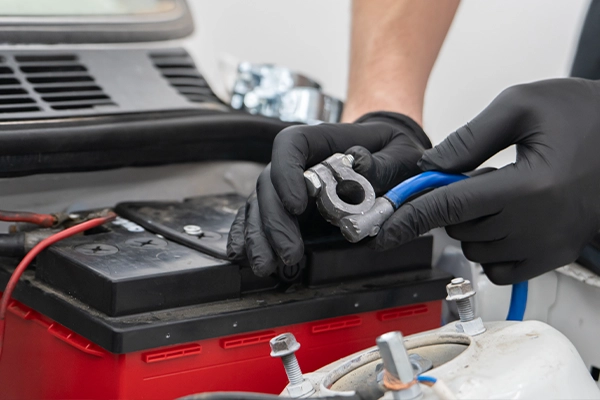
- Gear Up: Grab some gloves and eye protection before getting started. Battery acid is some nasty stuff, and you surely don’t want to be breathing it in or touching it with bare skin.
- Disconnect The Battery: Ensure the vehicle is turned off. Begin by removing the negative battery cable from the terminal and then proceed to doing the same for the positive terminal.
- Cleaning Solutions: Either mix up some DIY baking soda and water terminal cleaner, or purchase a battery-specific chemical cleaner from an auto parts store.
- Apply & Scrub: Apply the cleaning solution to both terminals and begin scrubbing off the contamination with a wire brush or even an old (and retired) toothbrush.
- Rinse & Dry: Use a wet rag to remove any remaining loose debris and cleaning solution, and then go over it with a dry rag to remove the moisture.
- Reconnect: Reconnect the battery cables in reverse order compared to the initial disconnect. Start with connecting the positive terminal and follow up with the negative.
- Protect (Optional): Apply a thin and even layer of petroleum jelly or dielectric grease to prevent future corrosion.
Battery & Electrical System Services in Naperville, IL
If you’re experiencing issues with your vehicle’s battery or charging system, don’t hesitate to reach out to the experienced teams at Becker Service Center in Naperville, IL. Our technicians have extensive training in providing electrical system service and repair on all makes and models.
No matter what you drive or the issue you face, trust the team at Becker Service Center to get your vehicle back on the road! Give us a call today or schedule online to secure your appointment at Naperville’s premier electrical service facility!